
Sending out a(n) (Server Sent) SOS
Exploring Server Sent Events, and meeting the Autonomy service, in Embabel

The code for this article is all available in the Engineering Agents free and open source (Apache Software License 2.0) project. Grab a copy to work through and explore.
Recently we explored how the Embabel Agent Framework incorporates an internal event system so that you can listen to the events emitted as the platform negotiates agent selection and planning, and then the events emitted from the agent processes themselves as they execute and revise their plans.
In this article we are going to see one important use case where that event system is used: Emitting Server Sent Events (SSE).
Same Example, Different Exploration
We are going to use the same example, and custom logging personality, that we developed for the previous Custom Logging Personality article. This is a single-agent Embabel runtime, where the agent flow works towards a goal of creating a story and a review from two LLM interactions:
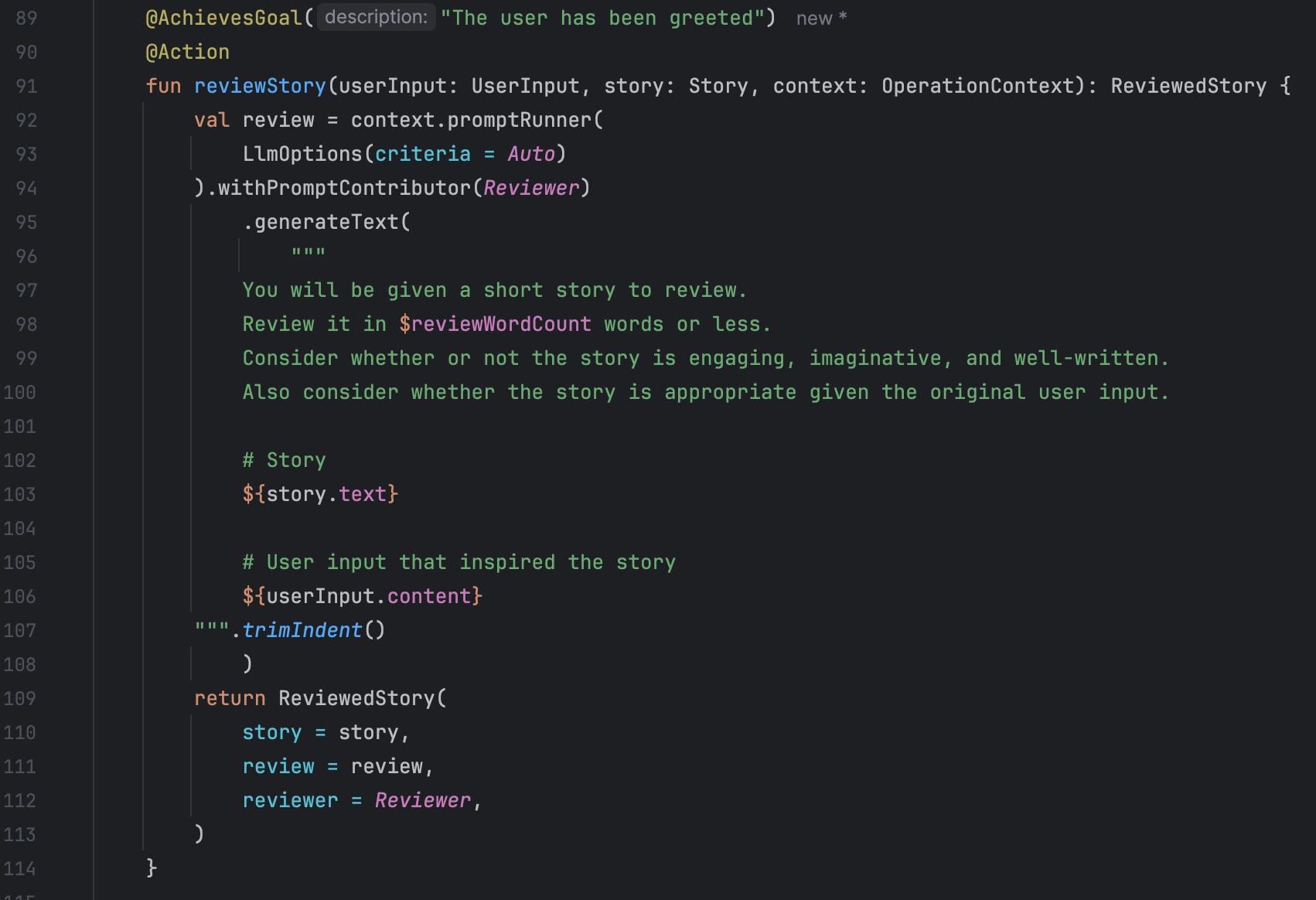
This @Action performs an interaction with a configured LLM passing in a previously created story to generate the accompanying review in the tone of an indicated Reviewer (not shown). The combination of a satisfactory story and review combination achieves the goal as indicated with the @AchievesGoal annotation.
There is only one other @Action in this agent implementation:
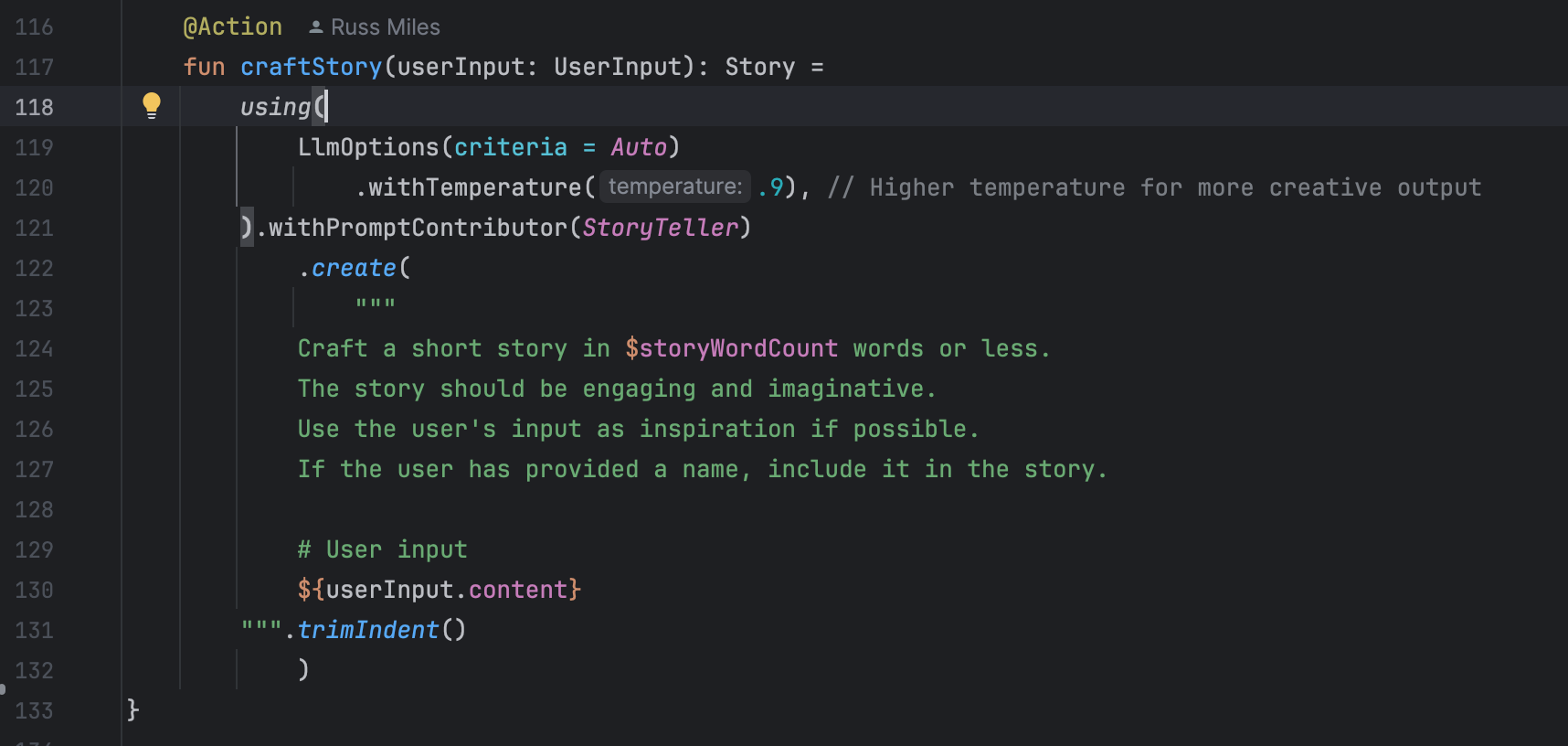
The action indicates that it wants to interact with an LLM with a high “temperature” of creative potential to generate a story in the voice of a well-known author (not shown but indicated by the StoryTeller value).
This is the boilerplate agent that you get when you create a new project based on the Embabel templates in Kotlin and Java. That’s all we need, except we need to run this agent and it’s application as a Spring boot service on localhost.
Running as a Spring Boot Service
At the moment you — Embabel 0.1.0-SNAPSHOT TBD link — you can run your Embabel application with the shell as your primary interface or as a regular Dpring boot application with a servlet container as per normal. You choose this by removing the @EnableAgentShell annotation:
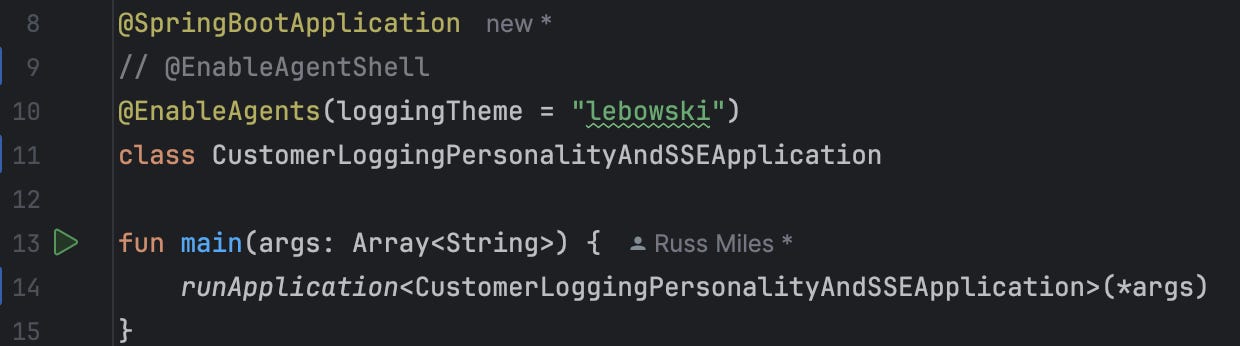
Now when you launch the CustomerLoggingPersonalityAndSSEApplication and web application endpoints found will be configured and made available.
Adding a RESTController so you can still request a story and a review
Without a shell we need a new way to instigate our writing and reviewing agent. That means creating a new Spring @RestController and hooking it up to Embabel’s Autonomy service1:
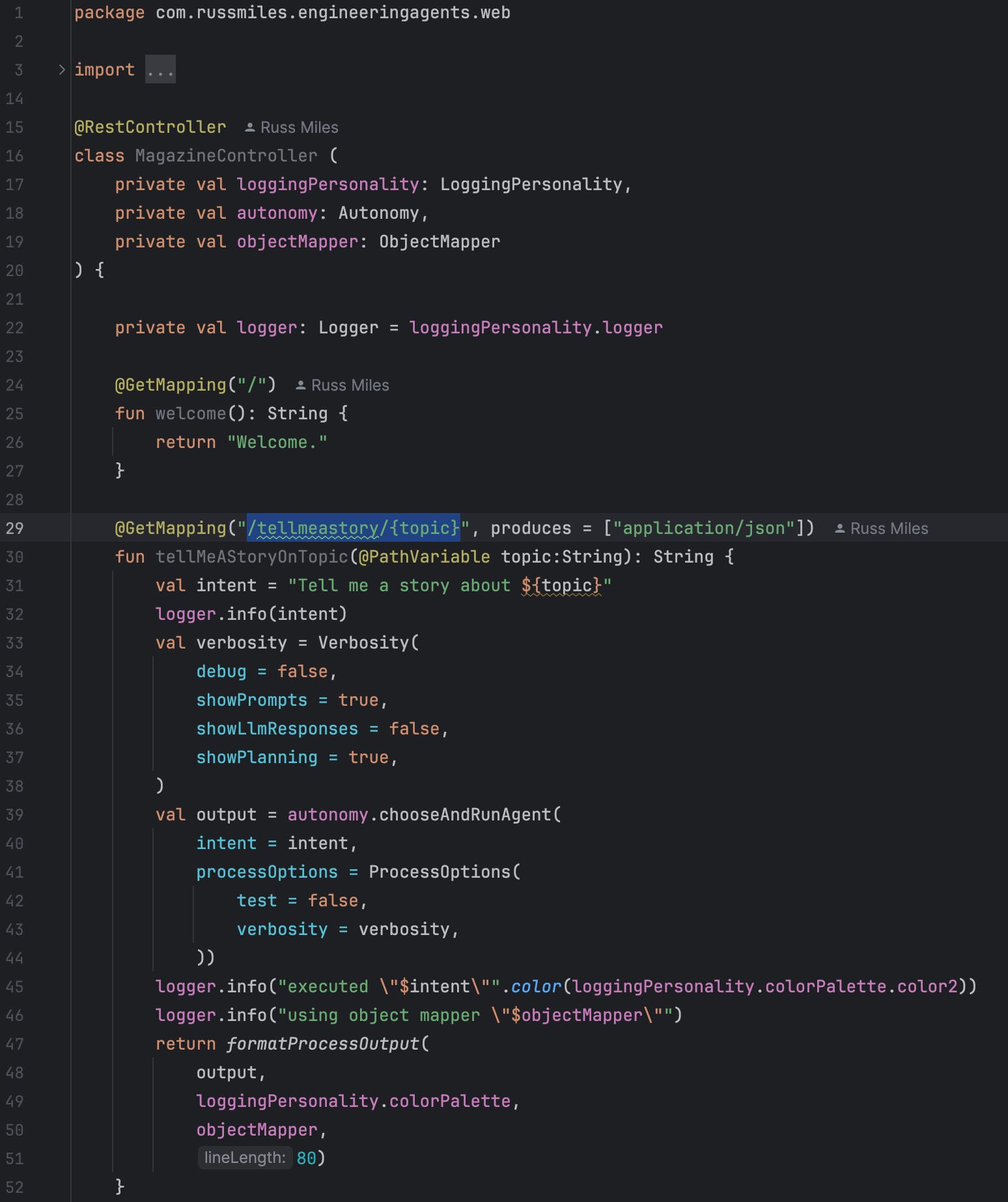
The MagazineController is injected with the configured Autonomy service by Spring Boot on creation and then uses the interface in the tellMeAStoryOnATopic method that’s exposed on a specific endpoint. If you run the application you will be able to trigger a story and review creation by passing in the topic of your story as a URL parameter:
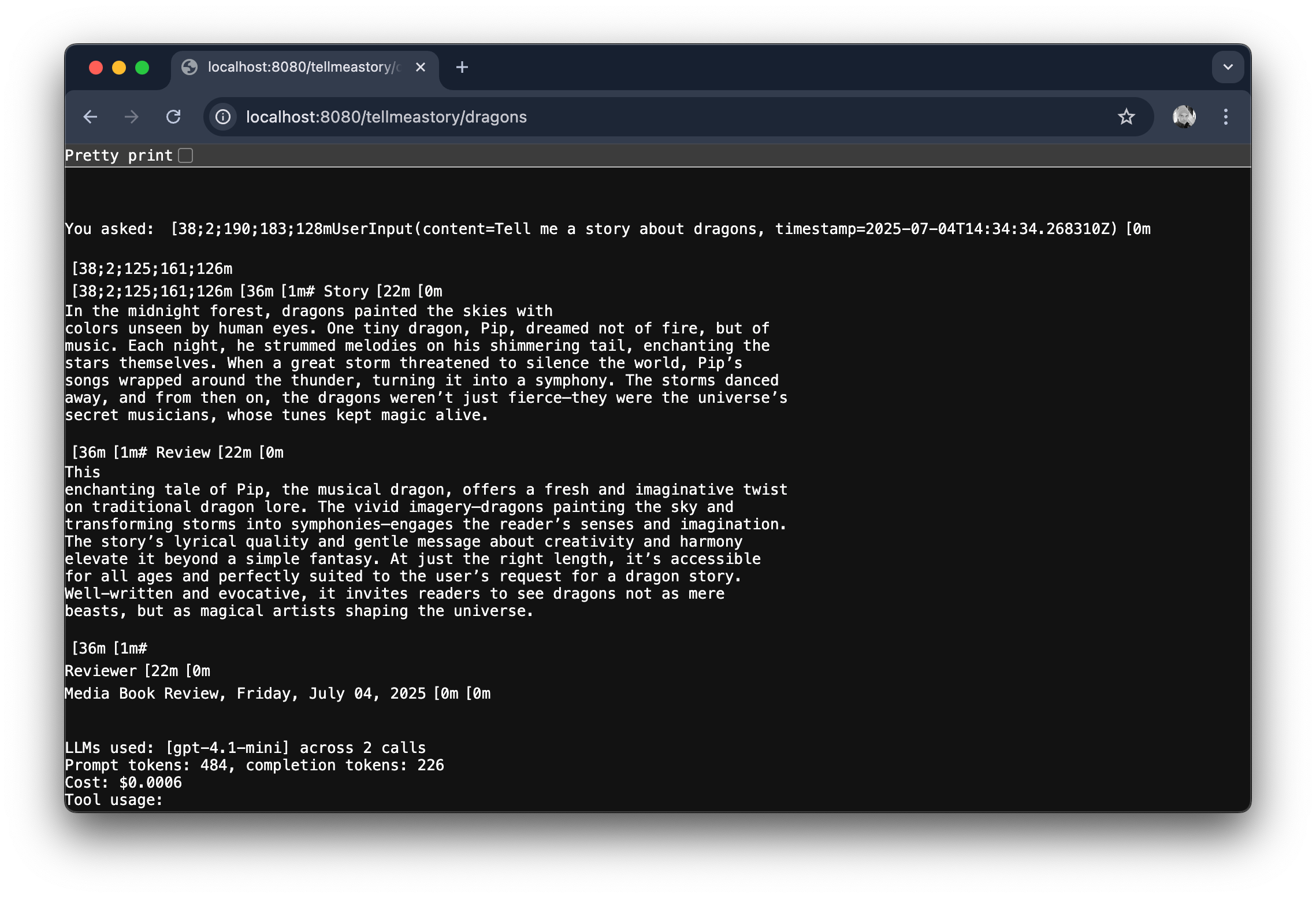
But Don’t Run! Walk, or Debug…
If you run this code and trigger an execution of the agent workflow everything will fly by very swiftly. As swiftly as your LLM can respond.
That’s usually too swift for you to figure out the process id of your agent’s running process and then access the right endpoint to see the stream of your server sent events. By the time you’re in the right place the plan is likely to be done and dusted.
To slow things down a little and see the server sent events from this agent process you’re going to cheat a little and use the debugger in whatever is your favourite JVM IDE. Ours is IntelliJ and so we’re going to use the IDE to set a debug breakpoint, a place to pause while we get our act together, at the precise moment when we can see the locally unique identifier of the agent process being executed by the Embabel platform inside the SSEController class, just after the onProcessEvent has been triggered:
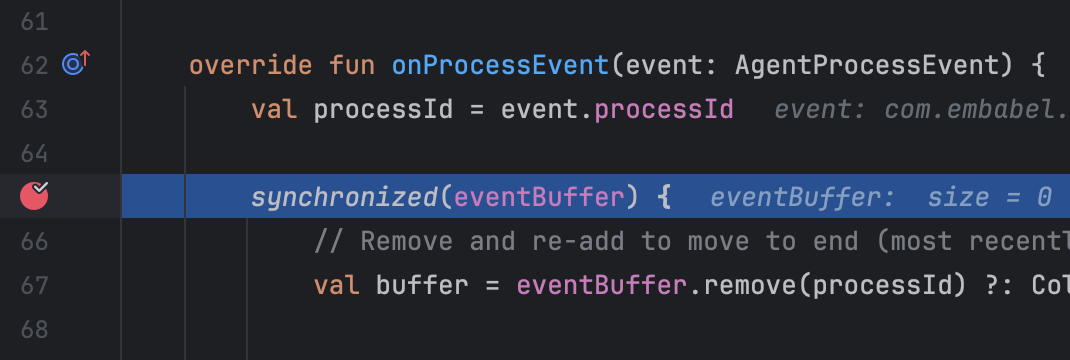
NB: This breakpoint is actually within the Embabel agent code itself, so don’t forget to make sure you’ve downloaded sources for those dependencies so you can set the breakpoint in the point of the code shown above.
Now execute the CustomerLoggingPersonalityAndSSEApplication application in debug mode and navigate to a URL in your browser to trigger the agent. In the browser your interaction will pause and you should then see that you IDE will hop to your breakpoint where you can then see and take a note of the agent process id:

Navigating to your SSE endpoint
With your processId in hand, you can now head over to the SSEController endpoint, surfaced on http://localhost:8080/events/process/{processId}. When you access that URL, while your application is still paused on its breakpoint, your browser will open a connection to the endpoint and then hold there waiting for server sent events to be pushed back to it.
Now resume your debug program a few times and, voila, you should see server sent events starting to appear in your browser:
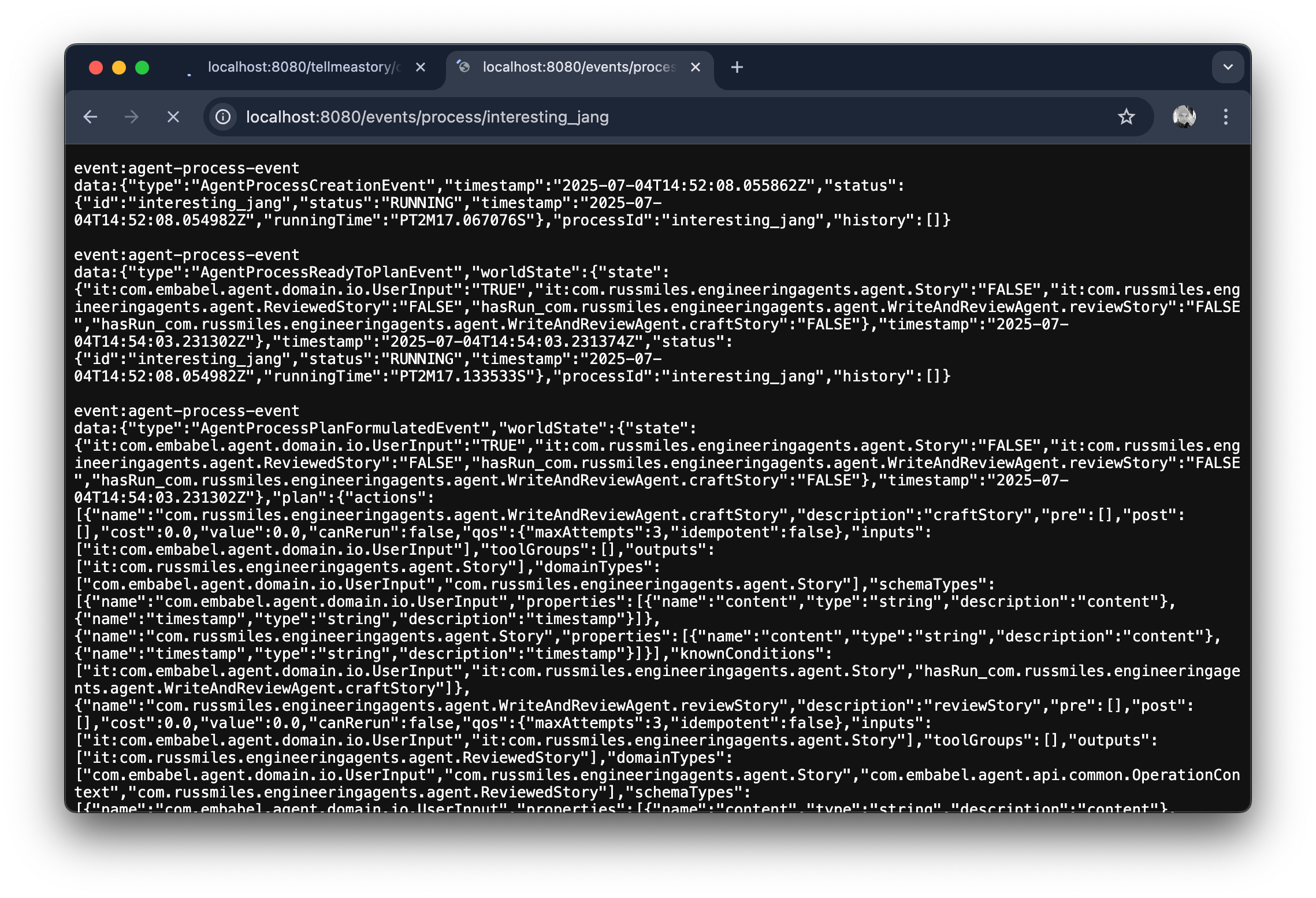
If you get tired of resuming your breakpoint, you could just remove it and resume to see a stream of rapid-fire events sent from Embabel direct to your browser.
One small step for SSE; one giant leap into the depths of Embabel
On the surface of things you’ve not done much here. You’ve looked at how to run an Embabel platform for agents as a Spring Boot application with a web interface by turning off the Embabel shell. You’ve also taken a look at the SSEController and managed to access server sent events in our browser.
Like so many things in agent development, these are small steps but they open up so much more to come.
You’ve also had a glimpse at the Autonomy service and how you might embed Embabel in your own JVM-based applications. It is the Autonomy service and how Embabel plans that will be the next article’s deep dive.
If you like this sort of code-heavy exploration of agentic AI development then please subscribe and spread the word. We’ll be forever grateful!
More on Embabel’s Autonomy service and how it adds goals and agents dynamically based on user input in a future article exposé.